A little proof
of today.

Something finished. A little progress. A moment of rest.
Small things deserve a place, too.

iPhone & iPad · iOS 17 or laterFree to use · Optional one-time Plus purchase
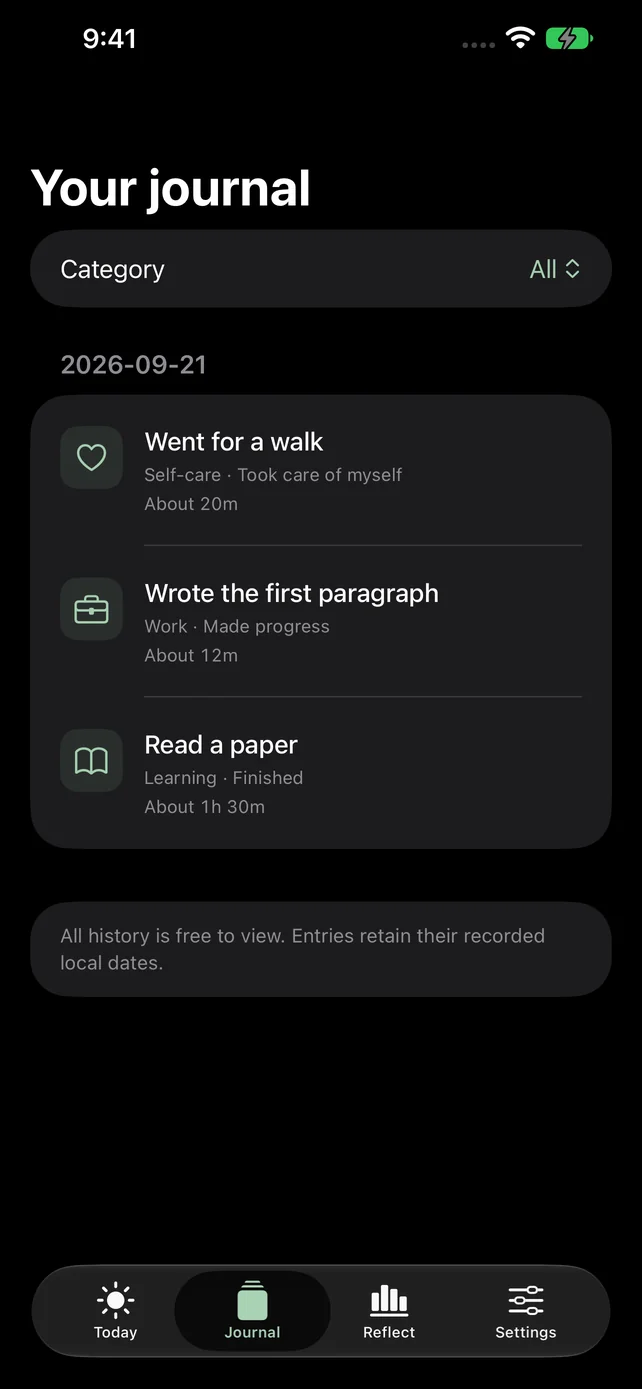
Journal screen with complete history grouped by date
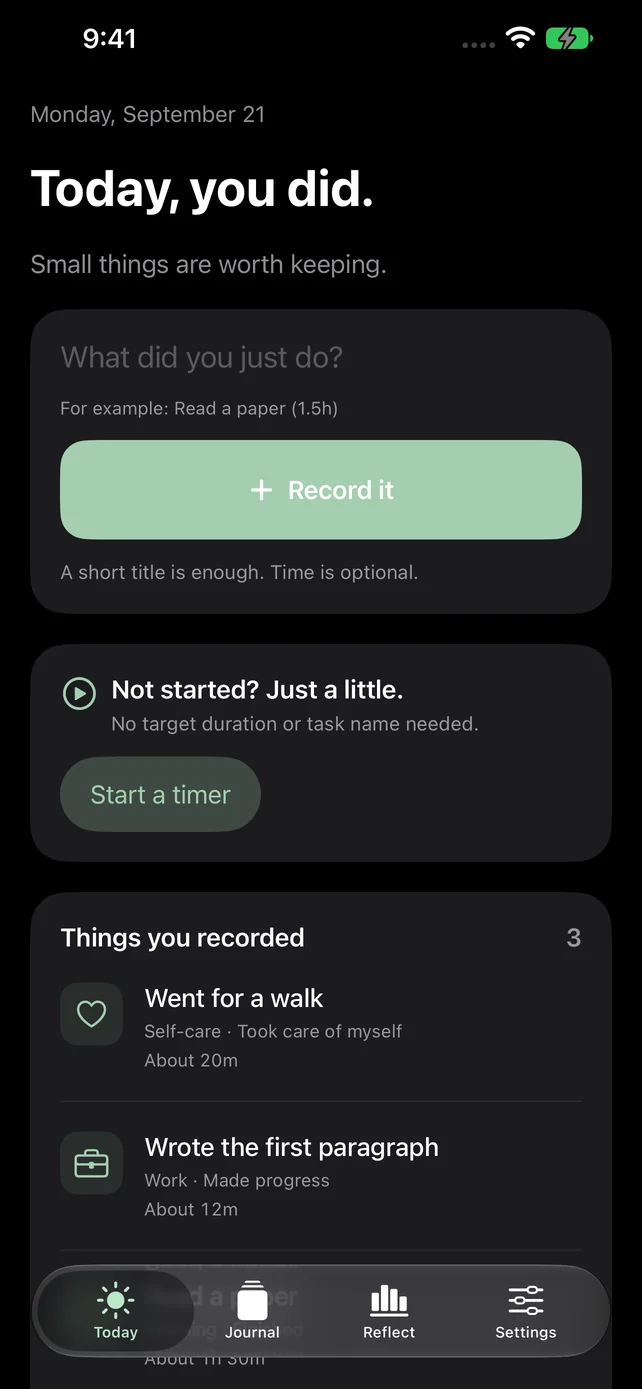
Today screen with quick capture, timer and demo entries
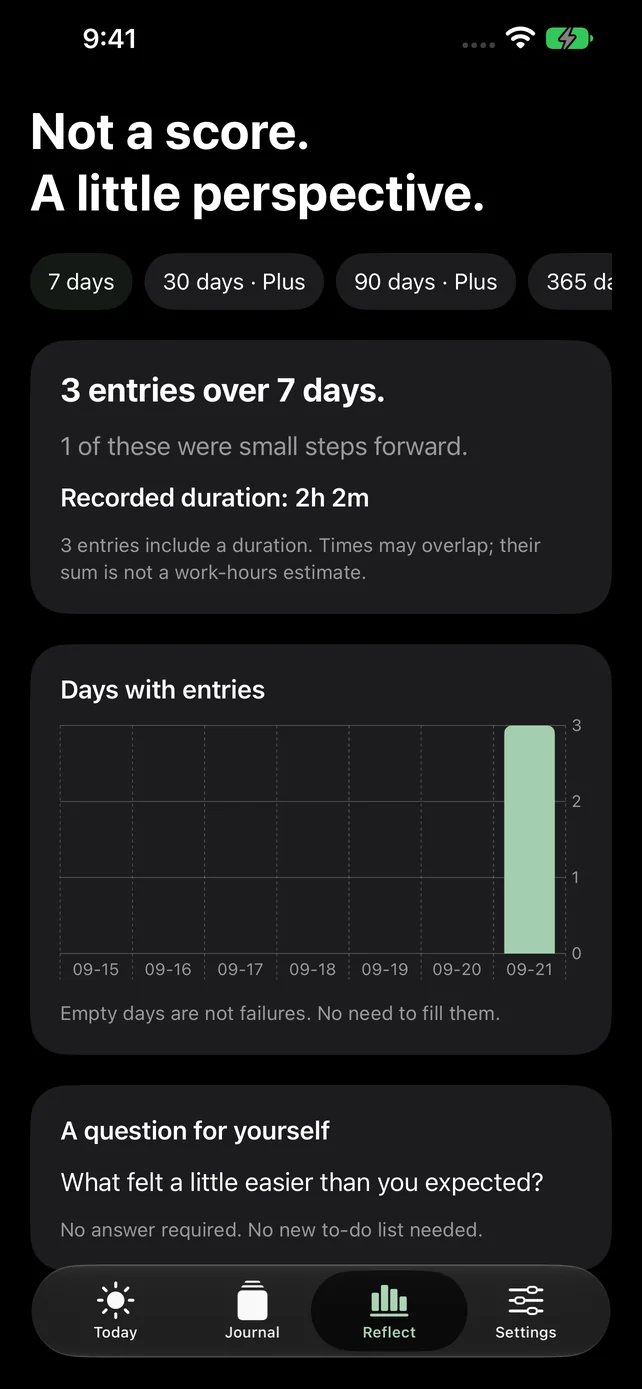
Seven-day reflection screen with finished tasks, progress and self-care
Actual ListoDone app screens · Demo entries
No accountTime is optionalNo streak penalties

Easy to keep. Good to look back on.

Three simple views. A little room for everything you did.

Choose an app view

Today

Keep one small thing

A short title is enough. Record a finished task, a little progress or self-care. Leave uncertain durations blank.

Actual ListoDone app screens · Demo entries

Today screen with quick capture, timer and demo entries

Journal

Keep your own journal

Browse what you did, grouped by date. If you want to record time, start a timer without deciding how long first.

Actual ListoDone app screens · Demo entries

Journal screen with complete history grouped by date

Reflect

Look back, gently

Browse your complete journal and reflect on the last seven days. No streak penalties, rankings or overdue backlog.

Actual ListoDone app screens · Demo entries

Seven-day reflection screen with finished tasks, progress and self-care

Your journal. Yours to keep.

No account. Records stay on your device.
No ads or analytics tracking.

Keep a copy

JSON backup and CSV export are free. Save important records somewhere you trust.

Make the choice

Reminders are off by default. Sharing cards hide task titles and total time until you choose to include them.

Clear it anytime

Delete entries or erase all local data in the app. Version 1 has no live cross-device sync.

Plus, when you want it.

Start with the free essentials. Choose more when it helps.

Free

The essentials

A place for everyday progress.

  • Quick capture and timer
  • Complete history and 7-day reflections
  • 5 quick templates and basic sharing cards
  • JSON backup, CSV export and data deletion

ListoDone Plus

One-time purchase

One purchase. No automatic renewal.

  • 30 / 90 / 365-day reflections
  • Up to 100 quick templates
  • More sharing card styles

Apple shows the actual price in the app.
Restore purchases in Settings. Capture and export remain free.

A few things before you begin.

How is this different from a to-do list?

ListoDone keeps what you already did, the progress you made and moments of self-care. Keep important deadlines in your calendar or reminders.

Can I move my journal to a new phone?

Export a JSON backup on your old device, then import it on the new one. There is no live cross-device sync. Timers, templates and settings are not transferred through JSON. Restore Plus separately.

Do I have to record time?

No. A short title is enough. Leave the time blank, hide durations in Settings or use Calm mode.

Do I need an account or internet?

No account is required. Everyday records stay local. Apple purchases, restoring purchases and external links you open need an internet connection.

Guides for keeping a little proof.

Practical templates for done lists, work logs and weekly reviews. These guides are in Traditional Chinese.

  1. 完成清單怎麼寫?Done List 入門、範本與生活例子

    了解個人完成清單並寫出第一筆紀錄

    閱讀文章
  2. 工作日誌怎麼寫?每日工作紀錄範本與填寫範例

    用三欄範本記下工作進展並整理成週報

    閱讀文章
  3. 每週回顧怎麼做?從完成紀錄開始的範本與填寫示例

    把既有完成紀錄整理成回顧與下週行動

    閱讀文章
View all guides (繁中)
ListoDone

Give today’s small things
a place to stay.

Start with one thing you just did.

Download free on the App Store

ListoDone is a personal recording tool, not ADHD diagnosis or treatment, and does not replace professional care.